Everything to work together, even apart
An office you walk around, conversations that open as you come closer, meetings that leave a record. Here is what Agora does.
An office you walk around
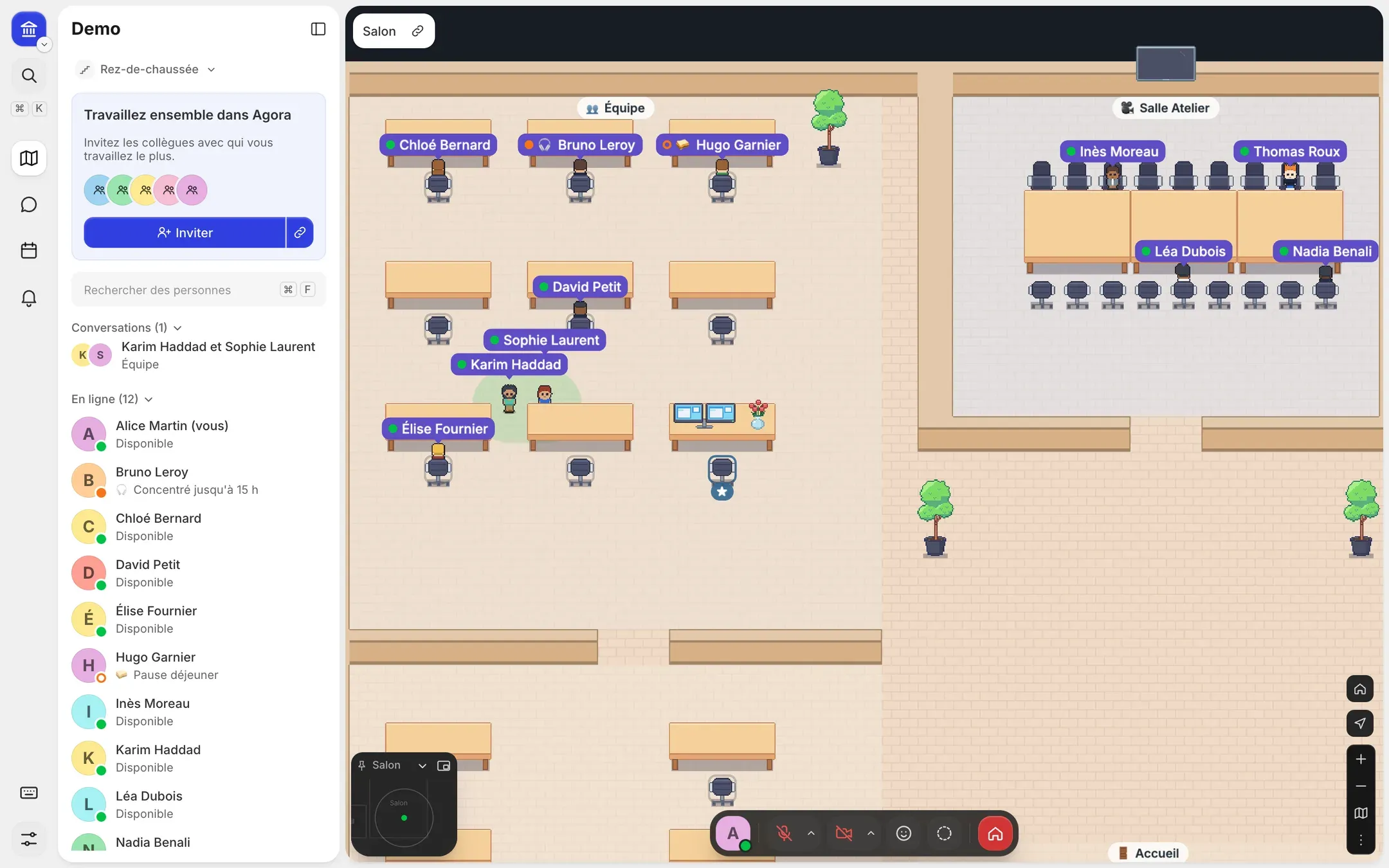
Everyone has a place on the floor plan: you see at a glance who is in and what they are doing.
-
A floor plan with storeys
Teams, meeting rooms, café, coworking: one floor per team or use, with named areas.
-
Who is available
Available, busy or away, a custom status that clears itself, and away detected when the computer sleeps.
-
Your own desk
Everyone books a desk and goes back to it in one click; administrators can assign desks by area.
-
Go and see someone
Join a colleague, follow them from floor to floor or wave, from the list of people in.
-
An avatar of your own
Hair, clothes, accessories: a pixel-art character drawn for Agora.
Spontaneous conversations
Walk over and talk, as in a corridor. Walk away and the conversation ends.
-
Proximity audio and video
You hear and see the people near you; the volume drops with distance.
-
Private conversations
Lock a conversation; others ask to join. Private rooms only hear the people inside.
-
Focus and coworking
Focus mode, Pomodoro sessions in coworking areas, microphone off while working.
-
Clean sound and picture
Noise suppression, background blur or image, computed on your computer: nothing is sent elsewhere.
-
Reactions
Clap, wave or react with an emoji above your character.
Meetings that leave a record
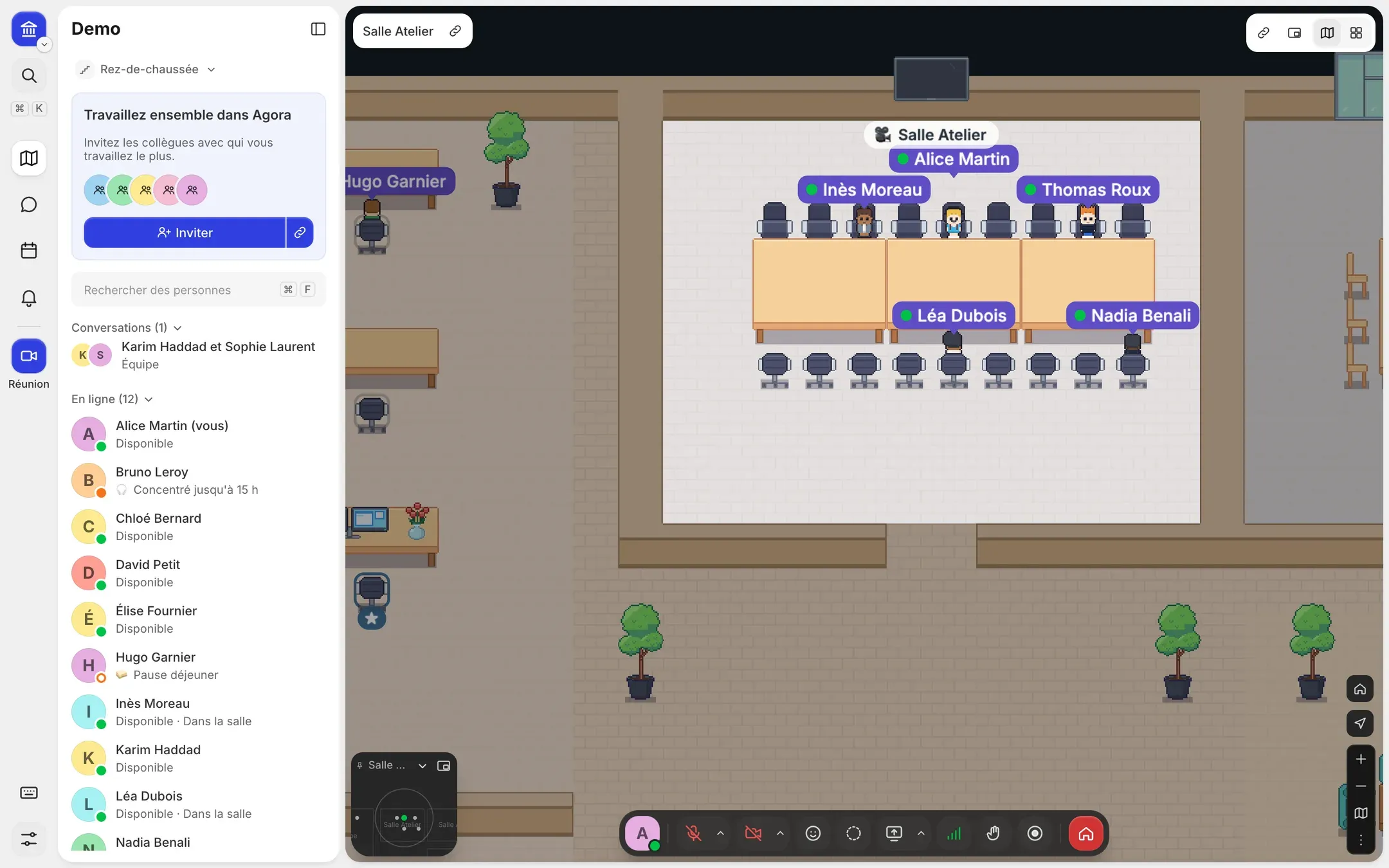
A room, a click, and everyone is there. What is said can be recorded, transcribed and summarised.
-
Rooms always ready
Scheduled or impromptu meetings; Agora finds a room free for the slot.
-
One link for everyone
Members walk straight in; outside guests give their name and the organiser lets them in.
-
Screen sharing
Several shares at once, computer sound as an option, and annotations everyone sees.
-
Running the meeting
Raise a hand, pin a video, grid view, meeting chat during and after.
-
Recording with consent
Everyone agrees first; an indicator stays on while recording.
-
Transcripts and notes
Transcription on our servers, live captions, AI notes and action items sent to participants.
Messaging next to the plan
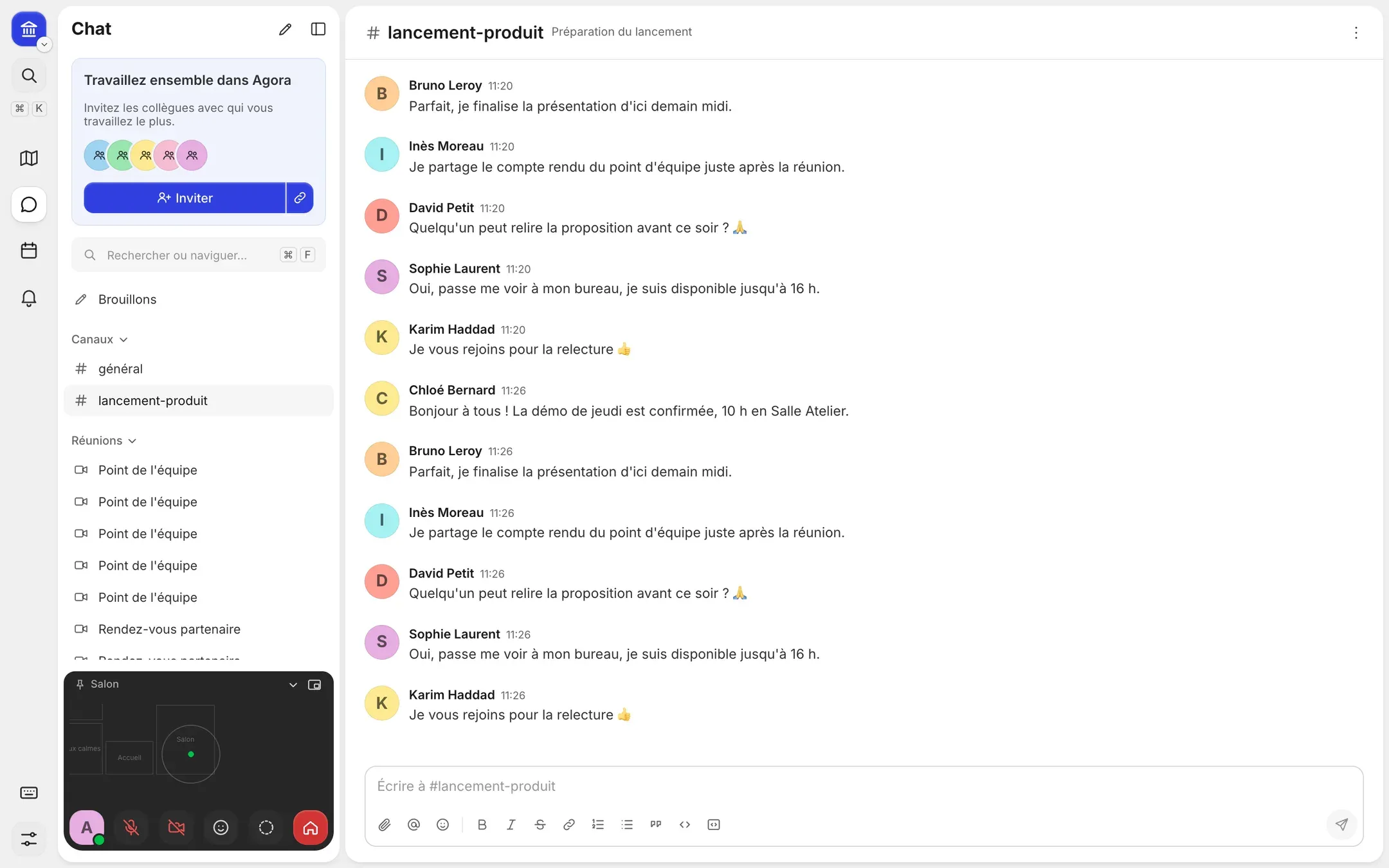
Write when you cannot talk, without switching tools.
-
Channels and direct messages
Public and private channels, direct messages and threads.
-
Mentions and reactions
@person, @channel, @here, reactions and emoji of your own.
-
Protected attachments
Encrypted files, visible to the channel's members only.
-
Find a message
Full-text search, links to messages, an activity feed of your mentions and replies.
-
Notifications
On your computer and phone: mentions, direct messages and meeting reminders.
Your calendar, connected
Outlook or Google Calendar: your status follows your day.
-
Automatic status
In a meeting according to your calendar, busy during a Teams, Zoom or Meet call, available afterwards.
-
Reminders
When a meeting starts, Agora offers to join it or take a free room.
-
Invitations with an Agora link
A meeting scheduled in Agora is added to your calendar, with its link and its guests.
-
From Outlook and Google Calendar
Outlook add-in and Chrome extension: an Agora room in one click in your invitations.
-
Calendar view
Your week of meetings and events, with their notes.
An office that looks like you
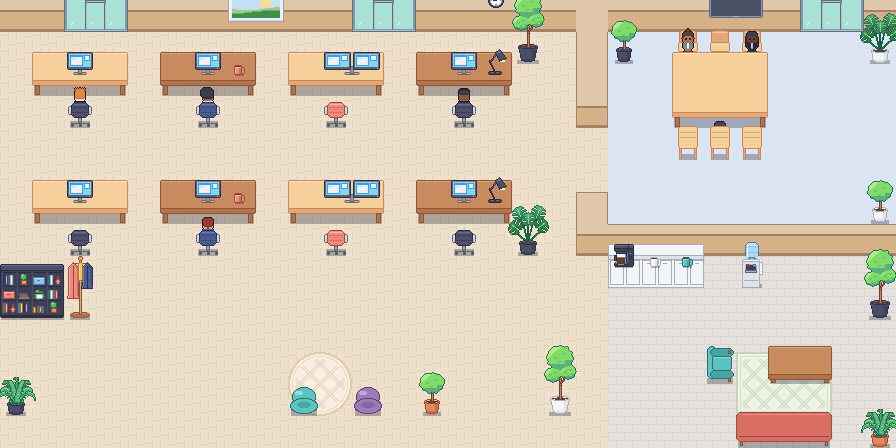
Pick a layout and a mood, then arrange every room.
-
Set up in minutes
An assistant lays out the rooms, the mood and the number of desks.
-
The Studio
Ready-made rooms, over a hundred objects, floors, areas and bookable desks, published live.
-
Decorate your desk
Everyone personalises their place; their objects follow them when they move.
-
Objects to use
Shared whiteboard, gong, two-player games, embedded website.
For administrators
Access, roles and usage of the space, in one place.
-
Company sign-in
Microsoft, Google or your organisation's single sign-on (SAML), offered or required.
-
Custom roles
Build roles from eight rights: members, Studio, desks, announcements, moderation, integrations, chat, invitations.
-
Invitations and domains
Single-use invitations, allowed domains, daily invitation limit.
-
Guests under control
Time-limited access, waiting room, choice of host, reserved areas closed without them.
-
Usage and log
An exportable usage dashboard and a tamper-proof log of administration actions.
-
API and webhooks
Meeting ended, transcript or notes ready: your tools are told, with a signature.
-
Create your office
Pick a layout and a mood: the assistant lays out the rooms and desks.
-
Invite your team
A link, e-mails or your company's domain: everyone finds their place.
-
Work together
Walk over to talk, meet in a room, write next to the plan.
Move your team into Agora
Set up your office in a few minutes, then invite your colleagues.